Changelog
Binary & multipart
In short
Delivery of files, images, and form uploads
Event Gateway now accepts binary and multipart/form-data request bodies and delivers them to your destination byte for byte. Until now these bodies were decoded as text, which could alter file contents before delivery.
Binary payloads
A request is treated as binary when its Content-Type is a byte-oriented format:
application/octet-streamimage/*,audio/*,video/*- Archives and office documents, such as zip and PDF
application/protobuf,application/cbor,application/msgpack
Requests with Content-Encoding: gzip or x-gzip are passed through as encoded bytes, including gzipped JSON. Event Gateway does not decompress them.
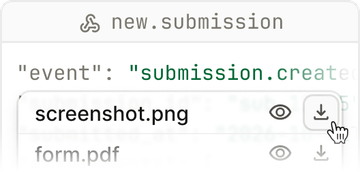
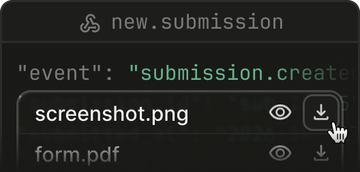
The destination receives the original bytes, Content-Type, and Content-Length, including on retries and replays. In the dashboard you can preview images and download the original payload. Transformations see body: null and can still change headers, path, and query.
Multipart requests
Form submissions and file uploads keep their original bytes too, and their fields are available as a structured object:
- Filters match on fields, for example
body.event. - Transformations receive
request.bodyas an object of fields, with each file described by{ filename, content_. You can change text fields or remove files, and the files you keep are sent unchanged.type, size } - Dashboard shows the fields, lists attached files with image previews and per-file downloads, and indexes fields for search.
Transformations can't read or modify file contents yet. See the multipart requests guide for details.
Existing connections
Connections created before October 1, 2026, 18:40 UTC keep the previous string handling for multipart requests, so their transformations and filters keep working. Once one of these connections receives a multipart request, a notice appears on its settings page. To switch, follow the multipart migration guide.