Connect AI Agents and LLM Workflows to Webhooks with Hookdeck Event Gateway
AI agents and LLM pipelines run on events. A Stripe payment, an inbound email or a new support ticket should wake an agent; a transcript, a batch job or a video render finishing should hand its result back to your app. Both arrive as webhooks, and both break the assumptions most webhook handlers are built on: AI work is slow, rate-limited, expensive to repeat, and its results can be large.
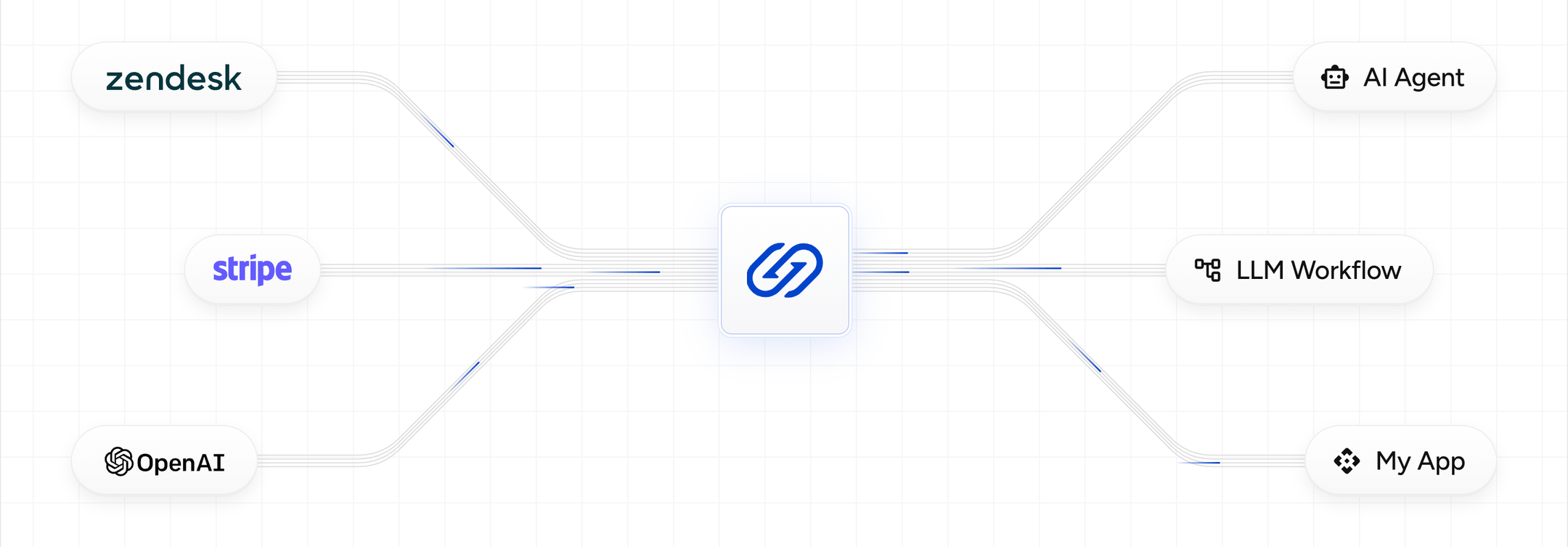
Hookdeck Event Gateway sits between the systems that emit those events and the AI workloads that act on them. It verifies and durably queues every webhook, delivers it at a rate your model provider can absorb, holds the connection open for up to 15 minutes while your agent works, and keeps a full record of every event, attempt and failure, so you can debug and replay instead of re-running jobs blind.
See a worked example
Route Stripe dispute webhooks through Event Gateway to a Claude-powered agent that prepares the response.
With Hookdeck Event Gateway you can:
- Trigger agents, LLM pipelines and workflow engines from webhooks sent by any provider
- Hold each delivery open for up to 15 minutes while long-running AI work completes
- Cap concurrent deliveries to stay inside LLM rate limits, and isolate tenants from each other
- Filter, deduplicate and trim events before they reach a model, so tokens are only spent on events that matter
- Turn PDFs, CSVs, archives and compressed payloads into model-ready JSON before delivery
- Verify and receive webhooks from AI providers, including OpenAI, Claude, Gemini, ElevenLabs, Replicate and others
- Retry, replay and trace every event when a model call fails
- Monitor and alert on delivery health with Issues and Metrics
This guide covers:
- The two event flows in AI systems
- Configuring Sources, Destinations and Connections for AI workloads
- Delivering events to slow, rate-limited AI destinations
- Receiving webhooks from AI providers
- Handling jobs that outlive a single request
- Developing and testing locally
- Monitoring, retries and replay
- Best practices and limitations
Two event flows in AI systems
Most AI applications that integrate with other systems handle events in two directions. Hookdeck handles both with the same Sources, Connections and Destinations: trigger events flow into your AI workloads, and provider callbacks bring results back to your application, often for jobs those same workloads started.
Triggers: events into AI workloads
An external event starts AI work. A Zendesk ticket is created and an agent drafts a reply; a HubSpot contact is added and an LLM enriches it; a GitHub pull request opens and a model reviews it. Here the AI workload is the webhook consumer, and the hard parts are on the delivery side: handlers that take minutes rather than milliseconds, model providers that rate-limit you, and noisy event streams that waste tokens.
Callbacks: webhooks from AI providers
Asynchronous AI work finishes and the provider tells you. An OpenAI background response completes, an ElevenLabs transcription is ready, a Replicate prediction succeeds. Here the AI provider is the webhook producer, and the hard parts are on the receiving side: verifying each provider's signature scheme, accepting large results, and not losing a completion your application is waiting on.
Many applications do both: a webhook triggers an agent, the agent starts an asynchronous model job, and the job's completion webhook carries the result back.
Understanding Sources, Destinations, and Connections
Event Gateway acts as a verified, queued intermediary between event producers and your AI workloads. To route events, you define a Source , a Destination and a Connection between them.
Sources as event producers
A Source represents a service that sends webhooks to Event Gateway, and each Source gets a unique URL to register with that service. For triggers, that's the platform whose events start AI work (Stripe, Zendesk, GitHub, Intercom). For callbacks, it's the AI provider itself (OpenAI, Claude, ElevenLabs).
Choosing a Source Type pre-configures signature verification and any handshake the provider needs, so only authentic events reach your agent.
Use one Source per provider and fan out to as many Connections as you need.
Destinations as AI workloads
A Destination is the HTTP endpoint Event Gateway delivers events to. In an AI system that's usually one of:
- An agent endpoint that runs a model with tools and returns when it's done
- A serverless function or worker that calls an LLM API
- A workflow engine's webhook trigger, such as n8n or Zapier
- A durable execution runtime's HTTP entry point, such as Temporal, Inngest or Trigger.dev
Use a separate Destination per AI workload. Each Destination has its own delivery timeout, delivery rate and metrics, so a slow summarization agent doesn't share limits with a fast classification step.
Connections for flow control
A Connection links a Source to a Destination with a set of optional rules: retries, filters, transformations and deduplication. When a webhook arrives, Event Gateway creates an Event for each matching Connection and delivers it according to those rules.
This is where you decide which events are worth a model call, and in what shape they reach it.
Delivering events to AI workloads
AI destinations behave differently from typical webhook handlers. They take longer to respond, they sit behind rate limits you don't control, and every unnecessary delivery costs tokens. These Destination and Connection settings address each of those.
Give long-running agents time to finish
By default, Event Gateway waits 60 seconds for a Destination to respond. An agent that chains several model calls and tool calls can easily take longer. You can set a delivery timeout on each Destination to any value from 1 second to 15 minutes, so your handler can do the whole job inside the request and return a status code that reflects the real outcome.
curl -X PUT "https://api.hookdeck.com/2026-09-01/destinations/des_123456789" \
  -H "Authorization: Bearer YOUR_API_KEY" \
  -H "Content-Type: application/json" \
  -d '{
    "config": {
      "delivery_timeout": 300
    }
  }'
Set the timeout to the slowest response you expect, not the maximum. A hung destination only surfaces as a failure once the timeout elapses, and your own load balancer or serverless platform may cut the request off sooner than Hookdeck would.
For work that can take longer than 15 minutes, see Jobs that outlive a request.
Stay inside your model provider's rate limits
A burst of webhooks (a bulk import, a provider replaying a backlog after an outage) can turn into a burst of LLM calls and a wall of 429 errors. Set a max delivery rate on the Destination and Event Gateway queues the excess, delivering it as capacity frees up.
For AI workloads, the concurrent option is usually the right one: it caps how many deliveries are in flight at once, regardless of how long each one takes. This example allows four agent runs at a time:
curl -X PUT "https://api.hookdeck.com/2026-09-01/destinations/des_123456789" \
  -H "Authorization: Bearer YOUR_API_KEY" \
  -H "Content-Type: application/json" \
  -d '{
    "config": {
      "delivery_policy": {
        "rate": 4,
        "period": "concurrent"
      }
    }
  }'
A long-running delivery holds its slot until it completes, so a low concurrency limit combined with a long timeout will queue events behind it. If your model provider still rate-limits you, return a 429 with a Retry-After header and Event Gateway will retry on your schedule.
Keep one customer from starving the rest
If you run agents on behalf of many customers, one customer's import can fill the queue for everyone. Delivery groups split a Destination into sub-queues keyed by any field, such as body.customer_id or headers.x-tenant-id. Each group gets its own delivery rate and pending-event metrics, with optional overrides for priority customers, while the Destination's limit stays the ceiling across all groups.
Only send events worth a model call
Webhook providers send far more events than an agent needs. A filter rule on the Connection drops everything else before delivery, so you never spend tokens deciding to ignore an event. This filter only delivers new Stripe disputes to a dispute-response agent:
{
  "type": "charge.dispute.created"
}
Combine filters with multiple Connections on one Source to route different event types to different agents, or to a cheaper model for simple cases.
Trim the payload before it reaches the prompt
Provider payloads are verbose, and every field you pass into a prompt costs tokens. A transformation can reshape each event into exactly the input your agent expects:
addHandler("transform", (request, context) => {
  const dispute = request.body.data.object;

  // Keep only what the agent needs to draft a response
  request.body = {
    dispute_id: dispute.id,
    charge_id: dispute.charge,
    amount: dispute.amount,
    currency: dispute.currency,
    reason: dispute.reason,
    respond_by: dispute.evidence_details.due_by,
  };

  return request;
});
To catch malformed events before they become bad model calls, validate the trimmed shape with a schema library such as zod, bundled into the transformation with esbuild. If a transformation throws, the event isn't delivered: Hookdeck opens a transformation issue and keeps the request as an ignored event that you can retry once it's fixed.
Transformations don't support I/O, so fetching extra context for the prompt belongs in your Destination, not the transformation.
Turn files into model-ready input
Many agent triggers carry files: an inbound email with a PDF attached, an uploaded contract, a gzipped export. Without help, your agent has to parse each file format itself before it can build a prompt. A transformation can do that at the gateway instead. It can pull the text out of the file and deliver compact JSON, so your agent only handles text.
Transformations receive binary bodies as a Buffer, and multipart file parts include their bytes in content. This transformation takes an inbound email posted as multipart/form-data, extracts the text of a PDF attachment with the unpdf library, and delivers JSON:
import { extractText, getDocumentProxy } from 'unpdf';

export default {
  async transform(request) {
    const { from, subject, text, attachment1 } = request.body;

    let attachment_text = null;
    if (attachment1?.content_type === 'application/pdf') {
      const pdf = await getDocumentProxy(new Uint8Array(attachment1.content));
      ({ text: attachment_text } = await extractText(pdf, { mergePages: true }));
    }

    request.body = { from, subject, text, attachment_text };
    request.headers['content-type'] = 'application/json';
    return request;
  },
};
Bundle the library into the transformation with esbuild (--bundle --format=esm --platform=node) and paste the output into the editor. The same approach works for other formats: node:zlib for gzipped payloads, fflate for zip archives, and papaparse for CSV exports.
Transformations are limited to 1 second per run, and files over 20 MiB are delivered without being passed to the transformation. For large documents, or files that need OCR, deliver the file as-is and extract the text in your Destination.
Don't pay twice for the same event
Providers retry, and some send the same event more than once. Deduplication on the Connection drops duplicates before they're delivered, which matters more when each duplicate is a paid model call. Keep your handler idempotent as well (see Best practices).
Receiving webhooks from AI providers
When you hand work to an AI provider asynchronously, its completion webhook is how the result gets back to your application. Routing those webhooks through Event Gateway means every completion is verified, queued and logged before your code sees it.
Use a pre-configured AI Source Type
Event Gateway has 180+ Source Types, including the AI providers below. Each one verifies the provider's signature out of the box, and links to a guide, an agent skill and sample payloads.
| Provider | Source Type | Resources |
|---|---|---|
| OpenAI | OPENAI | Guide · Skill |
| Claude | CLAUDE | Guide · Skill |
| Gemini | GEMINI | Guide · Skill |
| ElevenLabs | ELEVENLABS | Guide · Skill |
| Replicate | REPLICATE | Guide · Skill |
| Vapi | VAPI | Guide · Skill |
| Retell | RETELL | Guide · Skill |
| Deepgram | DEEPGRAM | Skill |
| Fireflies | FIREFLIES | Guide · Skill |
| Hugging Face | HUGGING_FACE | Guide · Skill |
| Cursor | CURSOR | Guide · Skill |
Provider not listed? Use the generic WEBHOOK or HTTP type with HMAC, Basic Auth or API key verification, or request a new Source Type.
Accept large and binary results
AI results are bigger than typical webhook payloads: full transcripts, diarization output, generated images. Event Gateway accepts inbound payloads up to 10 MiB by default and preserves binary content such as images, PDFs and application/octet-stream byte for byte. Requests above the limit are rejected with 413 Payload Too Large and recorded as a PAYLOAD_TOO_LARGE error.
If your agent endpoint only accepts JSON, a transformation can wrap a binary result before delivery, for example as { content_ with the bytes base64-encoded and hashed with node:crypto. It can also decompress a gzipped result into JSON with node:zlib. The original bytes stay on the Request , so you can still download them.
If your provider's results regularly exceed 10 MiB, contact us to raise the limit, and set an issue trigger on PAYLOAD_TOO_LARGE so you hear about rejections. Where the provider supports it, having the webhook carry a job ID and fetching the result before processing avoids the problem entirely. See Limits for details.
Don't lose a completion your app is waiting on
Event Gateway acknowledges the provider immediately and queues the event, so a deploy or an outage on your side doesn't drop a completion. Failed deliveries are retried automatically for up to a week and 50 attempts.
Event Gateway can only deliver what a provider sends, though. Some providers' webhooks are best-effort, and some job types only support polling. For results your application can't do without, keep a polling fallback keyed on the job ID, and process idempotently so a webhook and a poll for the same job don't both act.
Jobs that outlive a request
Some AI work doesn't fit in one HTTP request, even a 15-minute one: long video generation, large batch jobs, agents that wait on a human. For these, split the work into two flows that Hookdeck handles as ordinary Connections:
- Accept. Your Destination validates the event, starts the job (on your own queue, or through the provider's async API) and returns a
2XXquickly. Pass thex-hookdeck-eventidheader along with the job so you can correlate the result later. - Report back. When the job finishes, your worker posts the result to a second Hookdeck Source, such as
agent-results. If the job ran on an AI provider, its completion webhook can go straight to that provider's Source instead. - Route the result. A Connection on that Source delivers the result to wherever it belongs (your app, a CRM, a Slack channel) with the same retries, filters and observability as any other event.
The trade-off: a successful delivery on the first Connection means the job was accepted, not finished. Monitor the second flow for completions, and use Issues on both. If the work needs multi-step state, checkpoints or human approval, run it in a durable execution runtime and put Event Gateway in front of it (see Limitations).
Developing and testing locally
Use the Hookdeck CLI to receive real webhooks on the agent running on your machine, without deploying it:
hookdeck listen 3000 openai
CLI Destinations accept a delivery timeout too, so a slow local agent behaves as it will in production. They don't queue events while nothing is listening and don't apply delivery rates, so test rate limiting against a deployed Destination.
To see what a provider sends before writing any code, open its sample payloads in Inspect. No account is needed.
If you build with a coding agent, give it Hookdeck context:
- Webhook skills teach it each provider's payloads and verification, for example
npx skills add hookdeck/webhook-skills --skill openai-webhooks - The Event Gateway skill guides it through creating Sources, Connections and rules:
npx skills add hookdeck/agent-skills --skill event-gateway - The Hookdeck MCP server (
hookdeck gateway mcp) lets it trace requests, events and attempts while it debugs
MCP & Skills
Set up the Hookdeck MCP server and agent skills.
Monitoring, retries and replay
AI failures are often partial and intermittent: a model provider degrades for 20 minutes, a tool call starts timing out, a prompt change breaks one event type. Event Gateway logs every Request , Event and delivery Attempt so you can see exactly which events were affected and reprocess only those.
Issues and alerts
Issues track delivery problems per Connection and notify you by email, Slack or another channel. Configure Issue Triggers for exhausted retries, for backpressure when a slow agent falls behind its queue, and for PAYLOAD_TOO_LARGE on AI provider Sources.
Metrics
Metrics show delivery success rates, error rates, pending events and response latency per Destination, which for an AI workload is a direct read on how long your agent takes. Export them to Datadog, Prometheus or New Relic alongside your model-call telemetry.
Debugging a failed run
Each delivery Attempt records the status code, response body and response time from your Destination. Return a specific status and a short error body from your agent (which model call or tool failed, and why) and that context is attached to the event in Hookdeck.
Retry or replay
- Retry re-sends an existing event to the same Destination, individually or in bulk. Use it once a model provider or downstream API has recovered.
- Replay re-ingests the original request and creates new events. Use it after you change a filter or transformation, so past events reach your agent in the new shape.
- Pause a Connection while you fix a prompt or wait out a provider incident. Events keep queuing and are delivered when you resume.
Best practices
Do the work inside the request
Event Gateway already behaves as a push queue, so adding another queue between Event Gateway and your agent is usually redundant. Run the agent inside the request, set the delivery timeout to cover it, and control load with a max delivery rate. You get one place to see whether each event was actually handled.
Control Throughput and Queue Events to Prevent Spikes
Learn how to prevent spikes and control throughput
Return status codes that tell the truth
Respond 2XX only once the work has succeeded. When your model provider rate-limits you, return 429 with a Retry-After header; a value of -1 stops further retries for input the agent can never handle. Then configure which status codes are retried so Event Gateway doesn't spend attempts on errors such as 400 or 401 that will never succeed.
Process events idempotently
Event Gateway delivers at least once, so an event may arrive more than once. For an agent that sends emails, issues refunds or writes to a CRM, a duplicate is a real side effect, not just a wasted model call. Track the x-hookdeck-eventid header and skip work you've already done. See webhook idempotency.
Handle out-of-order events
There's no guarantee events arrive in order, and a slow agent run makes reordering more likely. Use timestamps in the payload, such as updated_at, so an agent never acts on stale state.
Verify every event your agent acts on
An agent with tools turns a forged webhook into a real action. Enable Source verification and verify the Hookdeck signature in your Destination. If you verify the provider's original signature instead, note that timestamp checks can fail on events delivered after a long queue or retry window.
Manage configuration as code
Create Sources, Connections, timeouts and rate limits with the Hookdeck CLI, the API or the Terraform provider, so each environment's agent setup is reproducible.
Limitations
Maximum delivery timeout
A Destination can hold a delivery open for at most 15 minutes. Longer work needs the accept-and-report-back pattern.
Synchronous responses
Event Gateway responds to the sender itself (the response is customizable) and can't return your agent's output to the original caller. It isn't suited to request-response chat or token streaming; use it for the event-driven work around them.
Workflow orchestration
Event Gateway is not a workflow engine or a durable execution runtime. It doesn't keep state between steps, checkpoint an agent mid-run or wait for human approval. If you need that, run the agent in a runtime such as Temporal, Inngest or Trigger.dev, and use Hookdeck as the reliable event layer in front of it. See how they compare: Hookdeck and Temporal, Hookdeck and Inngest.
Concurrency per tenant
The concurrent delivery limit applies to a whole Destination. Delivery groups limit each tenant's rate per second, minute or hour, but not its concurrency.
Payload size
Inbound payloads are limited to 10 MiB by default. Larger limits are available on request; see Limits.
Transformations do not support I/O
Transformations can't call APIs or fetch data, including model APIs. Enrich events and call models in your Destination.
Frequently Asked Questions
How do I trigger an AI agent from a webhook?
Create a Source for the webhook provider, a Destination pointing at your agent's HTTP endpoint, and a Connection between them. Add a filter so only relevant events reach the agent, set a delivery timeout long enough for a full run, and cap concurrency to stay inside your model provider's rate limits.
My LLM call takes longer than the webhook timeout. What can I do?
Raise the delivery timeout on that Destination, up to 15 minutes, and check that your hosting platform allows the same. For work that runs longer, accept the event quickly and post the result back to a second Source when the job finishes, as described in Jobs that outlive a request.
How do I stop a burst of webhooks from hitting my LLM rate limits?
Set a max delivery rate on the Destination, using the concurrent option to cap simultaneous agent runs. Excess events wait in Event Gateway's queue instead of failing against the model API. Use delivery groups to keep one customer's burst from delaying everyone else.
How do I receive OpenAI, Claude or ElevenLabs webhooks reliably?
Create a Source with that provider's Source Type, which verifies its signatures for you, and register the Source URL with the provider. Event Gateway queues each completion, retries failed deliveries and logs every attempt. See the OpenAI, Claude and ElevenLabs guides.
Does Event Gateway replace Temporal, Inngest or Trigger.dev?
No. Those runtimes execute multi-step code durably. Event Gateway receives, verifies, filters and delivers the events that start and finish that work, with observability across providers. Many teams use Event Gateway in front of a runtime.
Can I use Event Gateway with n8n, Make or Zapier AI workflows?
Yes. Point a Destination at the workflow's webhook trigger. Event Gateway adds verification, queueing, rate limiting and replay in front of it; see preventing n8n webhook overload.