Webhooks Library
The Webhooks Library is a catalog of real provider payloads you can send to a source on demand.
It exists because triggering a genuine webhook is often the slowest part of building against one. Seeing an inbound SMS event usually means sending yourself a text message and waiting for it to arrive. The library sends you the same payload immediately.
Sending a sample payload
Open the Webhooks Library from the top navigation, or from the empty state on a source that hasn't captured anything yet.
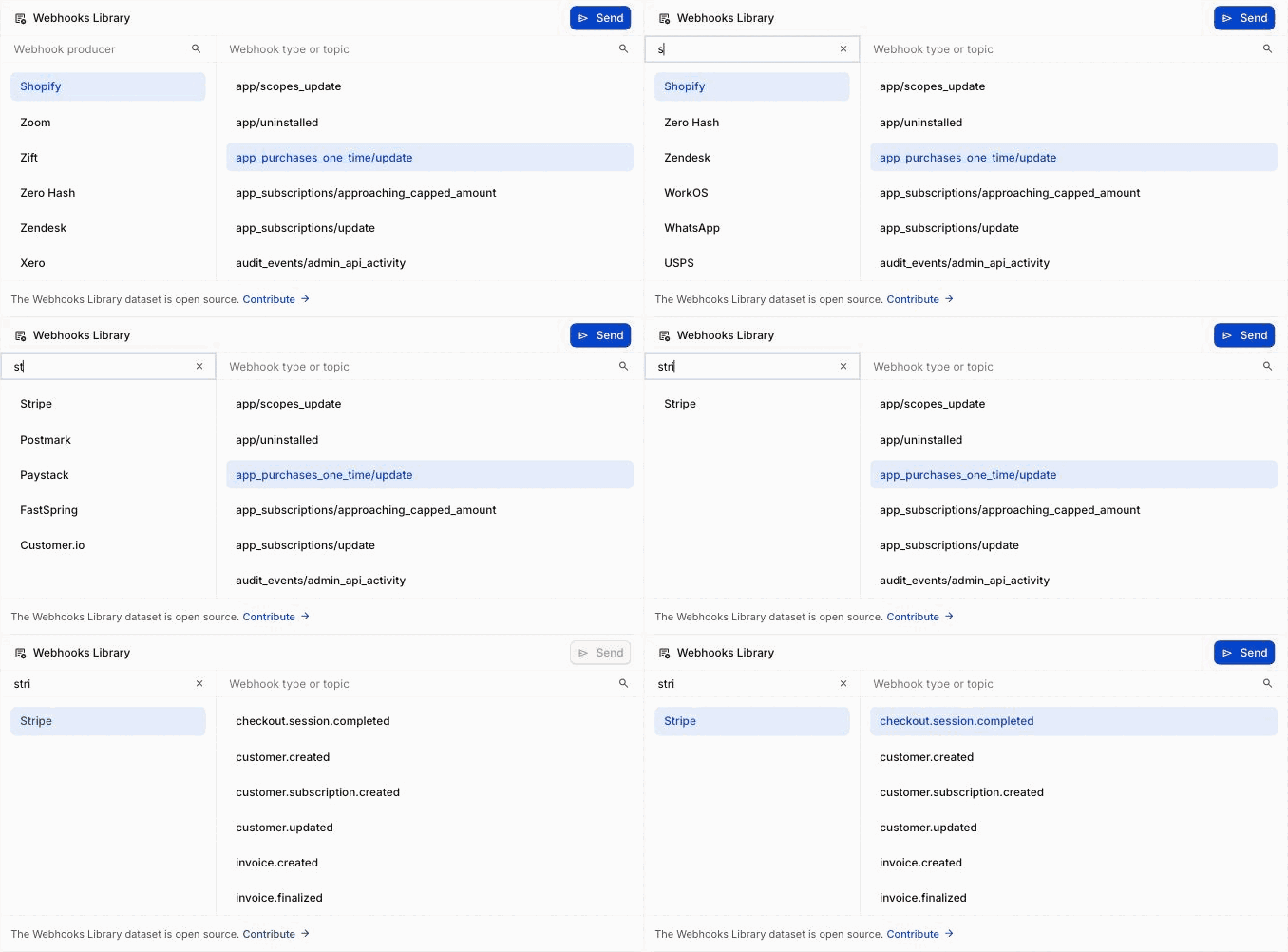
- Pick a provider. The search field filters by name.
- Pick an event type. Providers publish many, so the second search field filters those.
- Choose Send.
The payload arrives at your source with the provider's real headers and body structure, and appears in the events list like any other request. If the source has a Source Type set, the matching provider is selected for you.
What the samples contain
Samples mirror the shape of real provider events: the same field names, nesting, and header conventions. They're representative, not live, so identifiers and timestamps are sample values rather than references to real objects in your account.
That's usually what you want when you're writing parsing and routing logic. When you need a signature your code can genuinely verify, send a real event from the provider's own dashboard instead.
Contributing
The dataset is open source at hookdeck/webhook-samples. If a provider or event type you need is missing, adding it is a pull request.
For deeper, provider-specific guidance on handling these events in code, see the webhook skills directory.