Changelog
Node.js transforms
In short
Use Node APIs, npm packages and files
Transformations can now use Node.js built-in modules such as crypto, zlib and buffer, along with npm packages you bundle yourself. Most code written for Node.js runs unchanged, as long as it doesn't need network or filesystem access. See which modules and libraries are supported.
Until now, using a library in a transformation meant bundling it with polyfills and shims for any Node APIs it relied on. The result was a large bundle that was hard to debug and slower than native code. Binary bodies weren't available to transformations at all. Now built-ins like crypto and zlib run natively, and binary payloads arrive as a Buffer.
What you can do now
- Turn compressed or encoded payloads into JSON events. Gunzip a request or unpack a zip archive, or decode MessagePack or protobuf. The result is a JSON event that you can filter and search as normal.
- Read files. Extract the text and page count from a PDF, or parse a CSV export into structured data.
- Edit file uploads. Multipart file parts now include their bytes, so you can decompress, rename, replace, or add files before delivery.
- Return any content type. Turn a JSON payload into CSV or YAML, or generate an image from text and deliver it as
image/png. - Use the libraries you already know. Bundle npm packages such as
jose,zod,papaparse, ordate-fnsinto your transformation with esbuild, without the polyfills and shims they used to need. - Write ES modules. Code with a top-level
importorexportruns as an ES module, with the handler exported asexport default { transform }. Scripts that useaddHandlerwork as before. - Write async code. Handlers can be
async, which some libraries require. - Use
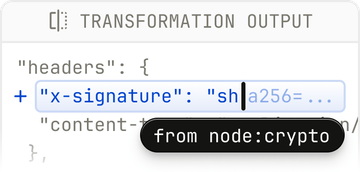
node:cryptofor crypto work. Sign and verify JWTs, add an HMAC signature header for a destination that requires one, or encrypt and decrypt payloads.
For example, this ES module handles a provider that sends gzipped JSON:
import { gunzipSync } from 'node:zlib';

export default {
  transform(request) {
    request.body = JSON.parse(gunzipSync(request.body).toString('utf8'));
    request.headers['content-type'] = 'application/json';
    delete request.headers['content-encoding'];
    return request;
  },
};
Built-in modules behave as they do in Node.js, so you can unit test your handler locally before deploying it.
Existing transformations
Existing transformations keep working without changes.
Limits
Transformations still can't make network calls or access a filesystem, and each run is limited to 1 second. Binary bodies up to 20 MiB are available to transformations. Larger ones are delivered unchanged.