Changelog

New features, improvements, and fixes across Event Gateway, Outpost, and the Hookdeck platform.

  1. Outpost in Terraform

    Version 3.1.0 of the Hookdeck Terraform provider adds the hookdeck_outpost_project resource and data source, so you can create Outpost projects and manage their configuration alongside your Event Gateway resources.

    The release also reads Event Gateway source and destination config back from Hookdeck, so changes made in the dashboard show up in your plan.

    Outpost projects

    resource "hookdeck_outpost_project" "deliveries" {
      name = "customer-deliveries"
    
      config = {
        TOPICS                 = "order.created,order.updated"
        RETRY_INTERVAL_SECONDS = "60"
        MAX_RETRY_LIMIT        = "8"
      }
    }
    

    Configuration keys are the Outpost environment variable names, so topics, retries, portal branding and observability settings all live in your Terraform code and go through review like everything else. Values you want hidden from plan output go in sensitive_config. Tenants and destinations stay with your application, which creates them through the Outpost API.

    Event Gateway source and destination drift detection

    When someone edits an Event Gateway source or destination's config in the dashboard, the next plan shows it and the next apply restores what's in your code. Only the keys you set are compared.

    Before you upgrade

    3.1.0 changes what happens when you remove a config key or leave a connection's rules unset, and 3.0.x can't read state once 3.1.0 has run. The release notes cover these and the bug fixes in this release.
  2. Remote MCP server

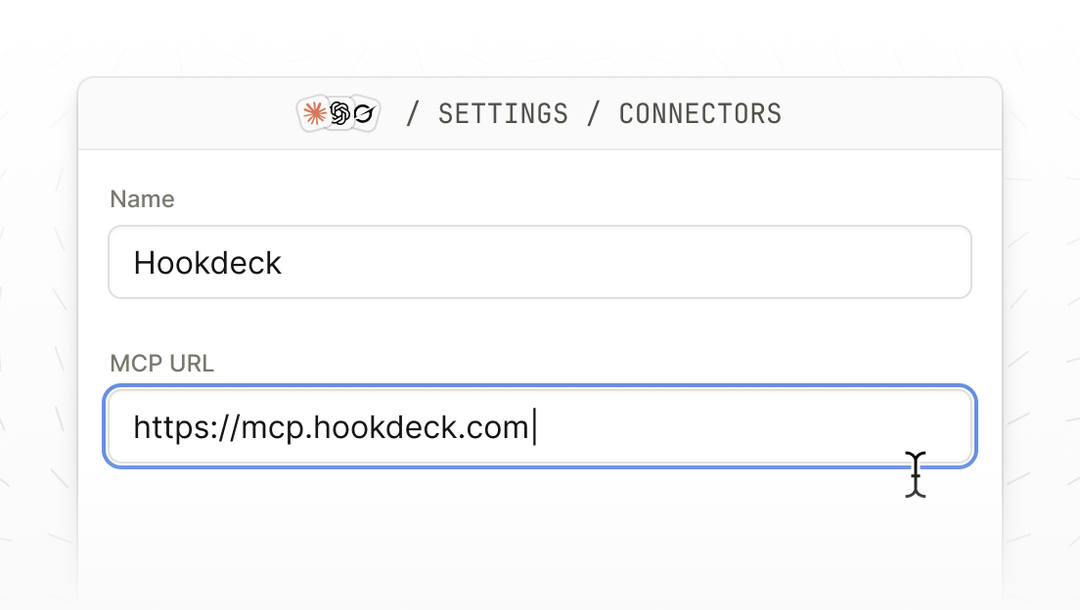
    You can now investigate webhook delivery issues from Claude, ChatGPT, or any other agent with our remote MCP. Add https://mcp.hookdeck.com in your app and sign in with Hookdeck. The same URL works for Event Gateway and managed Outpost projects.

    What's new

    • Event Gateway: Search requests and events with the same filters as hookdeck gateway event list, read payloads, and follow an event through to each delivery attempt and response. Check issues and metrics, test transformation code against a sample request, and estimate how many records a bulk retry would touch. With write access, the agent can also retry, cancel or mute events, rerun requests, run bulk retries and replays, triage issues, and manage connections, sources, destinations and transformations.

    • Outpost: Look up tenants, their destinations, published events and delivery attempts, and query publish and delivery metrics by tenant, topic or destination. With write access, the agent can also retry a delivery, manage tenants and destinations, get a link to a tenant’s portal, and change project configuration.

    Project access

    At sign-in, you choose which organizations and projects the app can access and when that access expires. If you approve multiple projects, you can ask the agent to switch between them. Its next call uses the project you selected.

    Access defaults to Read only. In Event Gateway, this includes pausing a connection while you investigate. Hookdeck holds its events until you resume delivery. Choose Read and write at sign-in to let the agent retry deliveries or change configuration within your project role.

    Migrate from the CLI MCP

    If you've previously used the MCP server built into the Hookdeck CLI, the CLI's MCP server is still available but it will be deprecated. We recommend migrating.

  3. Hookdeck CLI v3.2.0

    Hookdeck CLI v3.2.0 returns event and request payloads from list commands, so you or your agent can read a batch of events in one call instead of fetching them one at a time.

    Payloads in list commands. Add --include data to gateway event list, gateway request list or gateway request events, with --output json, and each result includes its headers, body, path and parsed query. With --include data, the limit defaults to 10 unless you pass --limit. In the Event Gateway MCP server, the list action of gateway_events_read and gateway_requests_read takes the same include argument.

    hookdeck listen stops when Hookdeck rejects your credentials. When the connection is refused with a 401 or 403, or closed because your key was revoked, listen exits 1 and prints the server's message. It used to print Connection lost, reconnecting... and retry forever. Network drops and 503 responses still reconnect.

    Connection rules run in the order you write them. On connection create, update and upsert, the position of each rule type's first --rule-* flag sets its position in the connection's rules. Before, rules were always built as deduplicate, transform, filter, delay, retry, so a filter written before a transform ran after it. --rule-transform-name now accepts a transformation's name or ID, and fails if neither exists.

    Check your scripts. Some commands that exited 0 while ignoring part of your input now fail:

    • --output with any value other than json exits 1. listen --output is unchanged.
    • connection update fails when --source-id or --destination-id differs from the stored value, and connection upsert fails when the destination differs. The API never changes an existing connection's source or destination.
    • If you put --rule-filter-* before --rule-transform-* and relied on the transform running first, reorder the flags.

    The release notes list every change, including fixes to source auth flags on several source types.

    npm install -g hookdeck-cli@latest
    # or
    brew upgrade hookdeck
    
  4. Hookdeck Inspect

    Hookdeck Console is now Hookdeck Inspect.

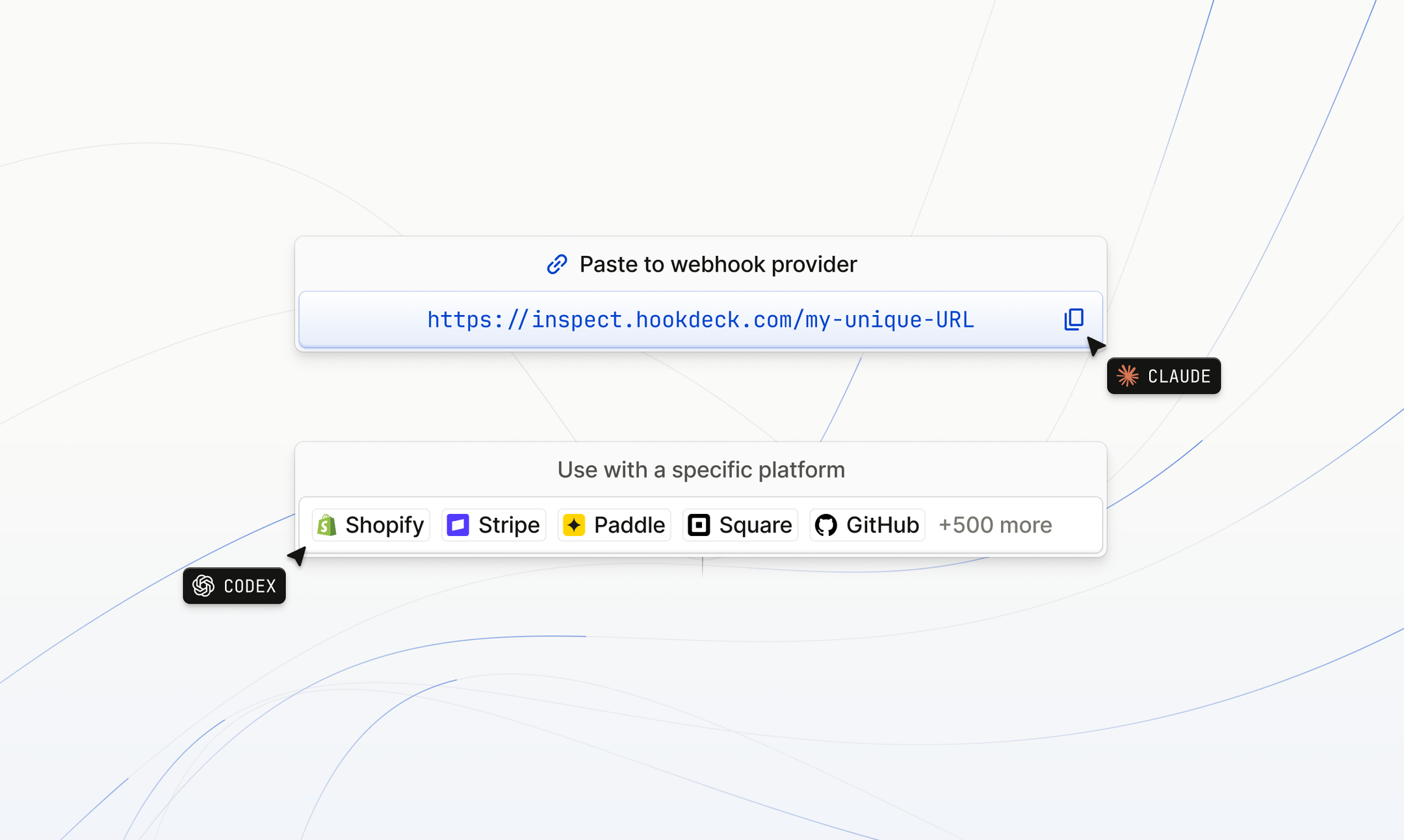
    Same instant URL to test and debug webhooks, now readable by your agent with mock payloads for 500+ providers.

    Get a URL and see requests arrive live with payloads exactly as sent. Or paste your URL into Claude or Codex and it’ll tell you when a request lands, and use it to build your handler.

    All with a path to production: Forward requests to localhost with CLI, then use with Event Gateway for queues, retries and transformations.

  5. Usage alerts

    You can now set a spend threshold for Event Gateway and Outpost usage from your organization's billing settings. When a product's usage charges for the billing period reach its threshold, organization owners and admins get an email.

    Thresholds are in your billing currency and cover usage charges before prepaid credits, discounts, and taxes; base plan fees are excluded. Usage can take up to an hour to reach billing, so an alert may arrive after the threshold is crossed. Alerts are informational and never pause event processing.

  6. Hookdeck CLI v3

    Hookdeck CLI v3 adds write mode to the Event Gateway MCP server. Pass --allow-write when you start hookdeck gateway mcp and the agent can create, update, retry, and dismiss. Without the flag the server stays read-only. Pause and unpause stay available either way.

    hookdeck outpost manages tenants, destinations, and deliveries on a managed Outpost project. hookdeck outpost mcp exposes the same commands to an agent, with the same --allow-write flag.

    npm install -g hookdeck-cli@latest
    
  7. HIPAA compliant

    If your webhooks carry protected health information (PHI), you can now send them through Hookdeck with a BAA in place. Both Event Gateway and our managed Outpost offering are covered by our HIPAA compliance program on our Growth and Enterprise plans.

  8. Platform API

    With the Platform API you can create projects, manage members, and roll keys over HTTP. Every API key, organization and project, now carries scopes and grants that limit what it can do and which projects or resources it can touch.

    Organization and project management via the API

    Use an organization API key to automate everything you would otherwise do from organization settings:

    • Projects: list, create, update, and delete projects with the new /projects endpoints, and manage each project's members and roles
    • Organization: read and update organization settings, manage members and invites, and view your subscription
    • API keys: create, update, roll, and revoke keys. Rolling a key returns a replacement with the same permissions. The old key keeps working until the rollover delay you set expires.

    The new endpoints are documented in the API reference under Organizations and Projects.

    Fine-grained permissions

    Every API key now carries scopes. A scope is a resource family plus an action: gateway.events.read, projects.write, outpost.tenants.read. Write access implies read, and existing keys keep the full access they have today.

    Keys can also carry grants that narrow where their scopes apply:

    • Organization keys can be limited to specific projects
    • Project keys can be limited to specific resources, such as individual sources, destinations, or connections

    Requests outside a key's permissions are rejected with a 403 INSUFFICIENT_SCOPE error. Project keys are also now bound to their own project and can no longer act on a sibling project in the same organization.

    Permissions in the dashboard

    Manage keys from Organization Settings → Organization API Keys. When creating a key, pick All scopes or Read-only preset, or choose Specific scopes to set per-resource access and grants. Each key row shows a permissions badge, and you can update a key's permissions at any time without rotating its secret. Project settings now also lists the organization keys that have access to the project.

  9. Charts and dates

    • Timezone selection: You can now change your account timezone when using the date picker or within your account settings. Your preferences are applied consistently to dates, date pickers, and metrics throughout the dashboard.

    • Synchronized, zoomable metrics: Related metric charts now keep their hover and selection states aligned. Drag across a chart to zoom every chart in the view to the same time range.

    • Accurate empty-queue metrics: Pending event count and oldest pending event are sampled metrics. Historically, for sampled metrics, "no data" would be treated as a "zero" which could lead to misleading charts. The metrics now properly distinguish between 0 and missing data.

  10. Self-serve Static IP

    Static IP is now a self-serve paid add-on. You can enable it directly from the Delivery section in your project settings — no need to contact support.

    • Instant activation: Enable or disable Static IP at any time, with automatic prorating on your bill

    Static IP ensures your webhook deliveries arrive from a fixed set of IP addresses, making it easy to configure firewall rules and IP allowlists on your endpoints.